Hungry Pig Controls
Sprint, steal, shop, and stay alive on every device.
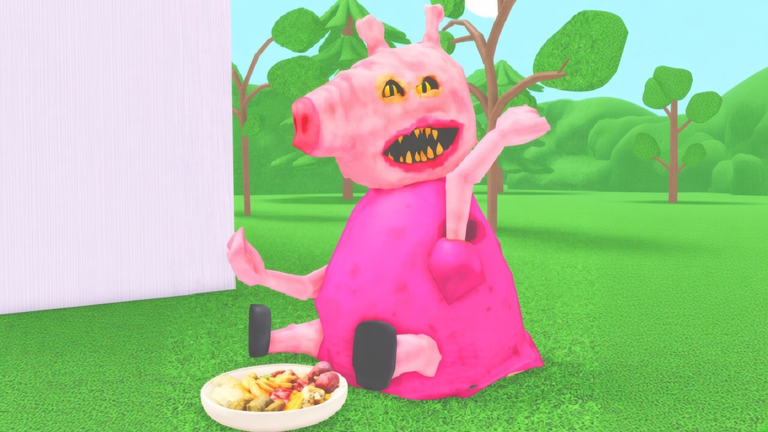
Hungry Pig is a movement game wearing a horror-comedy costume. If sprint feels wrong, you will never cash steals into Points. This controls guide covers PC, Mobile, and Console habits, HUD reading, and the recent sprint fixes called out in the experience description for all three platforms.
Pair this page with Getting Started and How to Steal Food.
Universal HUD & actions
| Element | Where / how | Why it matters |
|---|---|---|
| Points | Top of screen | Shop currency |
| Steal counter | Bottom-left | Tracks successful platter takes |
| Glowing letters | World markers | Animal GPS |
| Sprint | Device-specific | Escape after every steal |
| Shop UI | In-experience menus | Point + Premium purchases |
| Boss weapons | Granted on event | Required for ~10-min boss |
Close menus before you commit to a platter. More players die inside the shop UI than they admit.
PC controls
- Movement: WASD (or your Roblox rebinds)
- Sprint: hold Left Shift — keep it ready the instant a steal confirms
- Camera: mouse look; keep chasers on-screen when peeling
- Interact / steal: standard Roblox interact key when prompted near platters
- Items / tools: number keys or hotbar clicks for peels, webs, guns, potions
- Jump: Space — combine with wings for gap crosses
PC tip: do not bind chat focus in a way that eats Shift. If sprint randomly cancels, click back into the game world after typing.
Mobile controls
Mobile players got explicit sprint control fixes in recent updates—update Roblox and restart Hungry Pig if your thumb sprint still fails.
Habits that help:
- Use a clean sprint toggle/button; avoid covering it with the shop finger
- Lower graphics slightly if camera stutter makes letter markers hard to track
- Paste is irrelevant until codes exist (Codes Hub is empty), but keep UI taps deliberate
- Consider headphones for boss spawn audio cues
After a steal, prioritize sprint + pathing over emote wheels or accidental inventory opens.
Console controls
Console also received sprint fixes. Expect:
- Left stick move, right stick camera
- A platform-specific sprint control (hold/toggle per Roblox + game mapping)
- Face buttons for jump / interact
- D-pad or weapon wheel equivalents for hotbar tools
When the virtual keyboard opens for any future code UI, finish typing offline from chases—see How to Redeem for the future-proof checklist.
Sprint discipline (all platforms)
- Steal.
- Sprint the same frame.
- Drop peel/web if needed.
- Cut angle.
- Only then check Points.
Breaking that order is the number-one beginner death. Wings amplify good sprinting; they do not replace it—claim them via WASP Wings.
Combat & tool inputs
- Banana peel / webs / boogie: place on path behind you, not at your feet facing forward into a wall
- Taser / ice gun / handgun / minigun: aim with camera; fire while strafing
- Portals: place during calm seconds between steals
- Med kits: use after chip damage—not as a boss one-hit counter
- Potions / ghost speed: trigger before crossing open kill zones
Ranked buy advice: Point Shop Tier List, Premium Items, Shop Guide.
Boss-ready controls checklist
When the ~10-minute boss spawns (Boss guide):
- Cancel sprint-into-shop mistakes—close UI
- Pick up the free weapon immediately
- Keep camera on the boss model while strafing
- Coordinate fire; do not tunnel on a distant letter marker
Accessibility & comfort
- Invert-Y and sensitivity live in Roblox settings—tune before a ranked-feeling farm session
- Colorblind players: letters still glow; rely on markers more than animal palette
- If shift-sprint hurts your hand on long PC sessions, take breaks—average playtimes are short, but stacked lobbies tempt marathon deaths
Troubleshooting movement bugs
| Issue | Try this |
|---|---|
| Cannot sprint | Rejoin; verify platform sprint fix; check shift not used in chat |
| Sticky movement | Close shop/inventory; re-focus window |
| Rubber banding | Check network; avoid speed scripts (Scripts) |
| Wings missing | Group + like + rejoin (WASP Wings) |
| Premium item missing | Rejoin after Robux purchase |
Practice drill (5 minutes)
- Spawn, sprint in a square without stealing.
- Steal one platter, sprint-only escape, no tools.
- Steal again, peel while sprinting.
- Open shop, close shop, sprint immediately—prove UI recovery.
- Mentally note boss timer and keep hotbar clean.
Related pages
- Guides Hub
- Getting Started
- How to Steal Food
- Shop Priority
- Patch Notes for control hotfixes
Dial in sprint on your device first. Every other Hungry Pig skill—steals, shops, bosses—assumes you can already run.
Frequently Asked Questions
Quick answers to the most common questions.
How do I sprint in Hungry Pig on PC?
Hold Left Shift while moving. Keep it ready the moment you steal a food platter.
Was mobile sprint fixed?
Yes. Recent updates call out Mobile, PC, and Console sprint control fixes. Rejoin on the latest Roblox client if issues remain.
Where is the Points display?
Points are shown at the top of the screen. The steal counter is bottom-left.
Why can’t I move after opening the shop?
Close the shop UI and click back into the game world. Never browse menus during an active chase.
Do controls change during the boss?
Same movement rules, but you must pick up the free boss weapon and focus fire with the server instead of stealing.